
How DJs Calculate BPM Before Mixing Songs
Learn how professional DJs calculate and verify BPM before mixing songs. Discover beatmatching workflows, playlist preparation, BPM differences, and software tips.
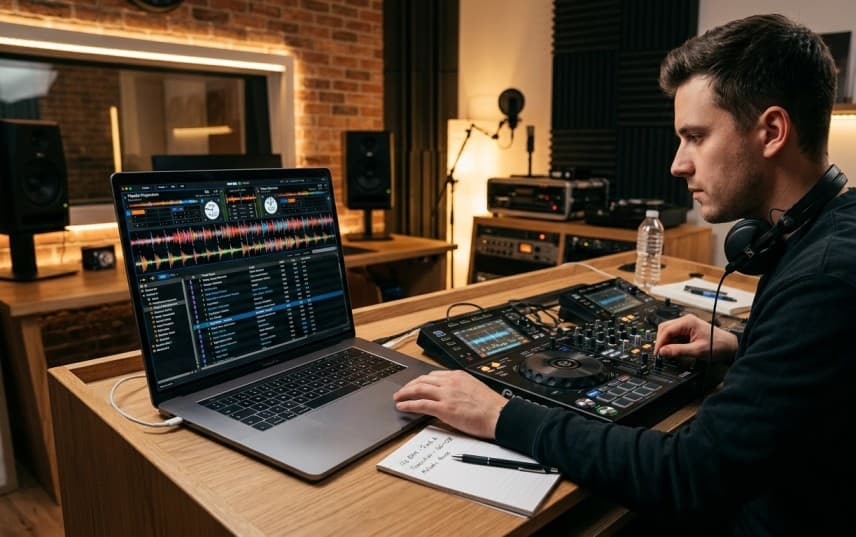
Every smooth DJ transition starts long before the first track reaches the dance floor. While the audience only hears seamless blends and perfectly timed drops, experienced DJs spend hours preparing their music library before a live performance. One of the most important parts of that preparation is verifying and organizing BPM before building a performance playlist.
Many beginner DJs assume modern software handles everything automatically. Programs like Rekordbox, Serato, Traktor, and VirtualDJ can analyze tracks within seconds, making it seem like BPM preparation is no longer necessary. In reality, professional DJs still verify BPM values because even advanced software can misread certain tracks, leading to awkward transitions at exactly the wrong moment.
BPM isn't simply a number displayed on your screen; it's one of the key factors that determine whether two songs can transition naturally, whether effects remain synchronized, and whether tempo-synced delays and echoes stay locked to the music during a performance.
This guide explains how DJs use BPM calculations during playlist preparation, beatmatching, and live performances. Rather than teaching BPM theory or calculator formulas, we'll focus on the real-world workflow that professional DJs use before stepping into the booth.
Why BPM Matters More Than Most Beginner DJs Think
Most beginners believe mixing is about matching two songs at the same tempo. In reality, BPM influences nearly every decision a DJ makes before and during a performance.
Imagine preparing a one-hour house music set. Your opening tracks might sit around 122 BPM to ease listeners onto the dance floor, while your peak-hour selections gradually build toward 128 BPM. Without understanding each track's BPM, maintaining that progression becomes difficult and transitions feel less intentional.
That's why professional DJs rarely build playlists randomly. They organize tracks according to energy, musical key, and BPM so every transition feels natural instead of forced.
BPM Helps DJs Create Smoother Transitions
When two songs have similar BPM values, matching their beats requires fewer tempo adjustments. Small corrections keep vocals, percussion, and grooves aligned, allowing the audience to experience a continuous musical flow instead of hearing two separate tracks fighting each other.
For example:
| Track | BPM | Mixing Difficulty |
|---|---|---|
| Track A | 124 | Easy reference track |
| Track B | 125 | Smooth transition with minimal adjustment |
| Track C | 136 | Requires larger tempo changes or a different transition technique |
A one-or two-BPM difference is usually straightforward to manage. Larger differences often require additional planning or creative transition techniques.
BPM Shapes the Energy of a DJ Set
Tempo isn't just about technical mixing; it directly affects how people experience the music.
A gradual increase in BPM can make a dance floor feel as though the energy is naturally building, while an unexpected jump can interrupt the groove unless it's planned deliberately.
This is why experienced DJs often think in terms of BPM ranges rather than individual songs.
For example:
| Set Section | Typical BPM Range* | Purpose |
|---|---|---|
| Warm-up | Lower range | Introduce energy gradually |
| Main dance floor | Medium range | Maintain momentum |
| Peak time | Higher range | Maximum energy |
| Closing | Reduced range | Bring the audience down smoothly |
Exact BPM ranges vary by genre and performance style.
Instead of asking, "Which song should I play next?" experienced DJs often ask, "Which song fits the current BPM and energy?"
BPM Is About Preparation, Not Guesswork
One of the biggest differences between beginner and experienced DJs is preparation.
Rather than discovering tempo during a performance, professionals verify BPM while organizing their music library. By the time they arrive at a club or festival, they already know which tracks work together and which combinations require additional adjustments.
That preparation reduces stress during live performances and allows them to focus on reading the crowd instead of solving technical problems in real time.
If a track doesn't already have a reliable BPM value, it's worth taking a moment to find the BPM of the song before adding it to your playlist. Once the correct tempo is known, planning transitions becomes much more predictable.
How DJs Prepare Songs Before a Live Set
Long before opening their DJ software in front of an audience, experienced DJs spend considerable time organizing their music collection.
Preparation isn't just about downloading new tracks. It's about building a library that allows confident decisions under pressure.
A typical workflow often looks like this:
- Import new tracks into the DJ library.
- Verify each song's BPM rather than assuming automatic analysis is always correct.
- Organize tracks into playlists or crates with similar energy levels.
- Set cue points for intros, drops, and breakdowns.
- Test important transitions before the performance.
This process means that when the performance begins, most technical decisions have already been made.
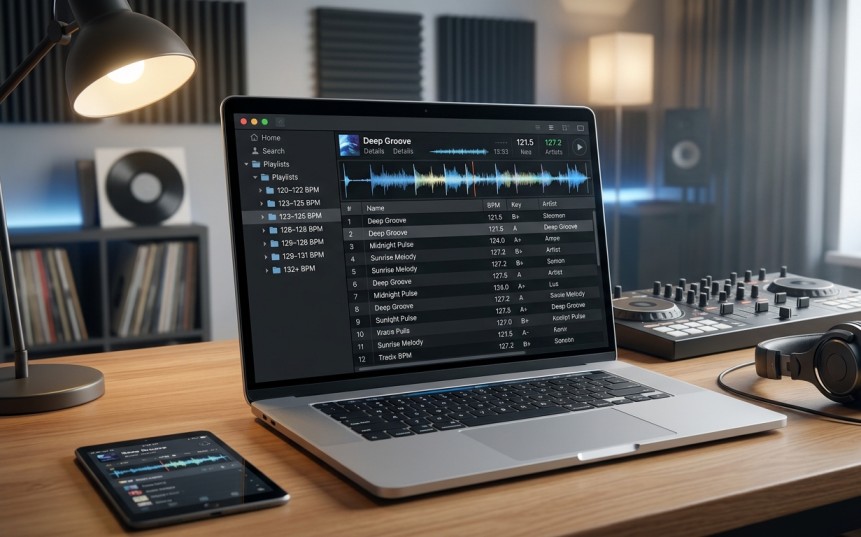
Professional DJs Organize Music in BPM Ranges
Instead of keeping one enormous playlist, many DJs group songs with similar tempos together. This makes it much easier to find compatible tracks during a live performance.
A simplified example might look like this:
| Playlist | Typical Use |
|---|---|
| 120–122 BPM | Warm-up tracks |
| 123–125 BPM | Groove-building section |
| 126–128 BPM | Peak dance floor energy |
| 129+ BPM | High-energy closers or special moments |
The exact ranges depend on genre, venue, and personal style, but the principle remains the same: organized BPM preparation leads to faster and more confident song selection.
BPM Is Only One Part of the Decision
Although BPM is essential, professional DJs rarely choose the next track based on tempo alone.
They also consider:
- Musical energy.
- Track compatibility.
- Key (where relevant).
- Crowd response.
- Vocal placement.
- Intro and outro length.
BPM simply provides the technical foundation that makes smooth transitions possible. Once that foundation is reliable, DJs can focus on creating an engaging musical journey instead of worrying about whether the next mix will work.
Manual BPM vs Automatic BPM Detection
Modern DJ software has made preparing music much faster than it was a decade ago. Import a track into Rekordbox, Serato, Traktor, or VirtualDJ, and within seconds, the software displays a BPM value.
For many DJs, that's enough.
For experienced DJs, it's only the starting point.
Automatic BPM detection has become remarkably accurate, but it's still an estimation based on waveform analysis. Certain songs can confuse the software, resulting in incorrect tempo values that may not become obvious until you're standing in front of a live audience.
Understanding when to trust automatic analysis, and when to verify it manually, is an important part of professional DJ preparation.
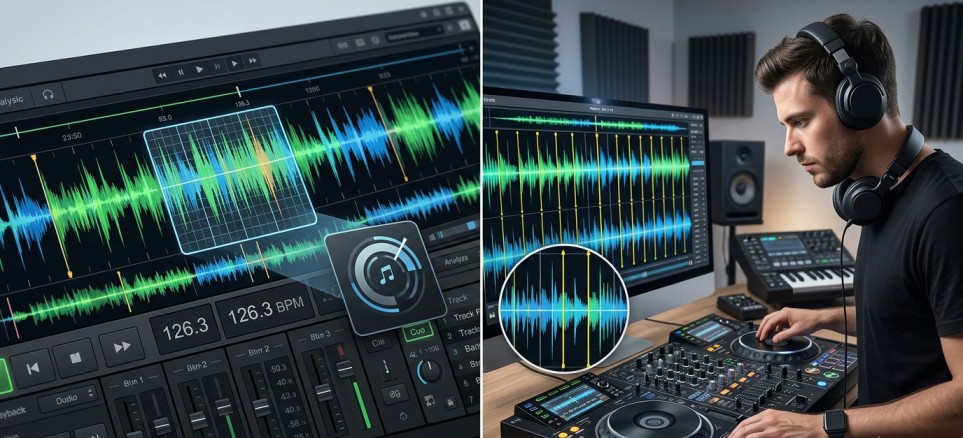
How Automatic BPM Detection Works
DJ software analyzes the rhythm of a track by identifying repeating drum hits, kick patterns, and beat intervals. Using those rhythmic patterns, it estimates the song's average tempo.
For most electronic dance music with a steady four-on-the-floor beat, this process is extremely reliable.
Genres like:
- House
- Tech House
- Techno
- Trance
- EDM
usually produce highly accurate BPM readings because their drum patterns remain consistent from beginning to end.
That's why automatic detection saves DJs countless hours when organizing large music libraries.
When Automatic BPM Detection Gets It Wrong
Not every song follows a perfectly predictable rhythm.
Certain musical characteristics make BPM detection much more difficult.
Common examples include:
| Situation | Why Software Struggles |
|---|---|
| Long ambient intros | Not enough rhythmic information |
| Live recordings | Natural tempo fluctuations |
| Songs with tempo changes | BPM isn't constant throughout the track |
| Weak or delayed kick drums | Beat detection becomes less reliable |
| Half-time or double-time grooves | Software may interpret the rhythm incorrectly |
Imagine importing a drum-and-bass track that actually plays at 174 BPM. Depending on how the rhythm is interpreted, the software might display 87 BPM instead.
Technically, both values describe the same pulse relationship, but choosing the wrong one during playlist preparation can create confusion when searching or sorting your library.
Why Professional DJs Still Verify BPM
Automatic analysis is incredibly useful, but professional DJs rarely assume it's always correct.
Instead, they quickly verify important tracks before adding them to performance playlists.
This is especially common when preparing:
- Opening tracks.
- Closing tracks.
- Festival anthems.
- Exclusive edits.
- Bootlegs.
- Mashups.
- Tracks downloaded from independent producers.
A quick verification takes only a few moments but can prevent awkward surprises during a live transition.
Professional preparation is less about fixing software mistakes and more about removing uncertainty before stepping into the DJ booth.
Professional Insight
Most DJs don't manually verify every song they own. They verify the tracks that matter most for upcoming performances.
How Much BPM Difference Can You Mix?
One of the most common questions beginner DJs ask is:
"How far apart can two songs be before the transition sounds bad?"
The answer depends on several factors, including genre, transition style, and whether you're using manual beatmatching or tempo synchronization.
There isn't one universal number that works for every situation.
Instead, experienced DJs think in terms of transition difficulty rather than strict BPM limits.
Small BPM Differences
Transitions become much easier when songs are already close in tempo.
For example:
| Song A | Song B | Difficulty |
|---|---|---|
| 124 BPM | 125 BPM | Very Easy |
| 126 BPM | 128 BPM | Easy |
| 122 BPM | 125 BPM | Moderate |
These transitions usually require only minor pitch adjustments and maintain the natural feel of both tracks.
Larger BPM Differences
As the gap grows, transitions become more challenging.
For example:
| Song A | Song B | Considerations |
|---|---|---|
| 120 BPM | 128 BPM | Noticeable tempo adjustment |
| 124 BPM | 135 BPM | Often requires creative transition techniques |
| 128 BPM | 150 BPM | Usually prepared as a planned energy change |
Professional DJs don't avoid larger tempo differences; they prepare for them.
Instead of forcing incompatible songs together, they may:
- Use longer blends.
- Transition during breakdowns.
- Introduce effects.
- Build energy gradually across multiple tracks.
- Select an intermediate song to bridge the BPM gap.
Genre Matters
Acceptable BPM differences also depend heavily on musical style.
Electronic genres with stable rhythms generally allow smoother tempo adjustments than tracks with live instrumentation or noticeable groove variations.
This is another reason why BPM preparation happens before the performance rather than during it. When your library is already organized by tempo, choosing compatible tracks becomes much faster and more intuitive.
The goal isn't to keep every song at exactly the same BPM.
The goal is to make every transition sound intentional.
When DJ Software Calculates BPM Incorrectly
Even the best DJ software isn't perfect.
Most of the time, BPM analysis is highly accurate, especially with modern electronic music. However, there are situations where software can assign an incorrect BPM, creating problems that only become obvious during practice or, even worse, in front of an audience.
That's why experienced DJs don't blindly trust every BPM value they see on the screen.
Instead, they learn to recognize situations where the software deserves a second look.
Songs With Variable Tempo
Not every track maintains exactly the same tempo from beginning to end.
While most electronic dance music is produced to a fixed grid, genres such as funk, disco, classic rock, jazz, or live recordings often contain small tempo variations created by human performance.
Because DJ software typically looks for one average tempo, these natural fluctuations can confuse the analysis.
The displayed BPM may appear correct, yet the beat grid slowly drifts out of alignment as the song progresses.
This becomes especially noticeable during long transitions.
Half-Time and Double-Time Detection
One of the most common BPM analysis errors is half-time or double-time detection.
For example:
| Actual Tempo | Software Reads | Result |
|---|---|---|
| 87 BPM | 174 BPM | Double-time detection |
| 174 BPM | 87 BPM | Half-time detection |
Technically, neither value is completely "wrong." They're mathematically related.
The problem is consistency.
If one drum-and-bass track is analyzed as 174 BPM while another similar track is analyzed as 87 BPM, organizing playlists becomes confusing, and searching by tempo becomes unreliable.
Professional DJs usually standardize these values across their libraries to avoid mistakes during live performances.
Bootlegs, Mashups, and Edits
Unofficial edits often contain:
- Tempo changes
- Edited intros
- Custom drum patterns
- Live recordings
- Layered percussion
These modifications can reduce the accuracy of automatic BPM detection.
Many DJs therefore verify bootlegs and mashups manually before adding them to performance playlists.
A few extra minutes during preparation can prevent unexpected timing issues later.
How Professionals Verify BPM
Verification doesn't mean recalculating everything from scratch.
Instead, experienced DJs perform quick practical checks.
A typical verification process looks like this:
- Load the track into DJ software.
- Play the intro while watching the beat grid.
- Confirm that kick drums remain aligned over several phrases.
- Compare the displayed BPM with similar tracks in the same genre.
- Correct the BPM only if something feels noticeably wrong.
This process takes very little time but significantly increases confidence during live performances.
Professional Tip
If the beat grid begins drifting after only a few bars, don't assume your mixing technique is the problem. Verify the BPM and beat grid before practicing the transition again.
Professional Beatmatching Workflow
Many beginners believe professional DJs simply load two songs and start mixing.
In reality, most successful transitions are the result of careful preparation completed long before the audience hears the first blend.
While every DJ develops a personal workflow, the overall process remains surprisingly similar.
Organize the Music Library
Preparation starts away from the decks.
New tracks are imported, categorized, and organized into playlists or crates based on factors such as:
- Genre
- Energy level
- BPM
- Musical key (when applicable)
- Event type
A well-organized library allows DJs to find compatible songs within seconds instead of searching through hundreds of tracks under pressure.
Verify Important Tracks
Before an important performance, professionals review tracks they expect to use.
They confirm:
- BPM values
- Beat grid alignment
- Cue points
- Intro and outro lengths
- Transition opportunities
Only after these checks are complete do tracks move into performance playlists.
Build Logical Energy Flow
Professional DJs rarely arrange songs randomly.
Instead, they design a gradual musical journey.
For example:
| Stage | Focus |
|---|---|
| Opening | Comfortable groove and gradual energy |
| Early Dance Floor | Increase momentum steadily |
| Peak Time | Highest energy selections |
| Closing | Controlled reduction in intensity |
Practice Critical Transitions
Before a club night or festival performance, DJs often rehearse transitions they expect to use.
This isn't because they lack confidence.
It's because preparation reduces uncertainty.
Testing difficult transitions beforehand allows performers to identify potential problems while they're still in the studio instead of discovering them in front of hundreds or thousands of people.
Common BPM Mistakes Beginner DJs Make
Learning to beatmatch takes time, and almost every DJ develops similar habits during the early stages of practice.
Recognizing these mistakes early makes improvement much faster.
| Common Mistake | Better Approach |
|---|---|
| Trusting every automatic BPM reading | Verify important tracks before performing |
| Organizing playlists randomly | Group songs by BPM and energy |
| Attempting huge BPM jumps without preparation | Build smoother transitions through gradual tempo changes |
| Practicing only with the Sync button | Understand manual tempo matching as well |
| Ignoring beat grid alignment | Check grids before practicing transitions |
| Preparing music on the day of the event | Complete BPM verification well before the performance |
Notice that none of these mistakes involve complicated mathematics.
Most of them are preparation mistakes.
Professional DJs succeed because they remove uncertainty before they ever press Play.
Continue Learning
Building smooth transitions involves much more than knowing the tempo of your tracks. Continue exploring these related guides to strengthen every stage of your DJ workflow.
- How to Find the BPM of Any Song: 7 Methods
- Common Metronome Mistakes That Slow Down Your Progress
- How Accurate Is Tap Tempo? Human vs Software BPM Detection
- Semitones to BPM Shift: MPC60 vs SP-1200 Math
Final Thoughts
Successful DJ performances rarely depend on luck.
Behind every effortless transition is careful preparation, organized playlists, verified BPM values, and a clear understanding of how tracks work together.
Modern software has made BPM analysis faster than ever, but preparation remains a human skill. Professional DJs don't verify BPM because they distrust technology; they verify it because live performances leave very little room for avoidable mistakes.
The more confidence you have in your music library before the performance begins, the more freedom you'll have to focus on creativity, crowd interaction, and musical storytelling once you're behind the decks.
In the end, BPM isn't just another number in your DJ software. It's one of the foundations that allows every transition to feel controlled, intentional, and musical.
Plan Your Next DJ Set with Accurate BPM Values
Whether you're organizing playlists, preparing club sets, or practicing new transitions, accurate tempo information makes every decision easier.
Use our free BPM Calculator to quickly calculate exact BPM values before building your next playlist, planning transitions, or preparing for your next performance.
This article has been researched, written, and reviewed according to our Editorial Policy.
Frequently Asked Questions
Common questions about finding the BPM of a song.