
What Are Milliseconds in Music?
Learn what milliseconds mean in music production, why audio software uses them, and where you'll see them in recording, editing, and plugins.
Quick Answer
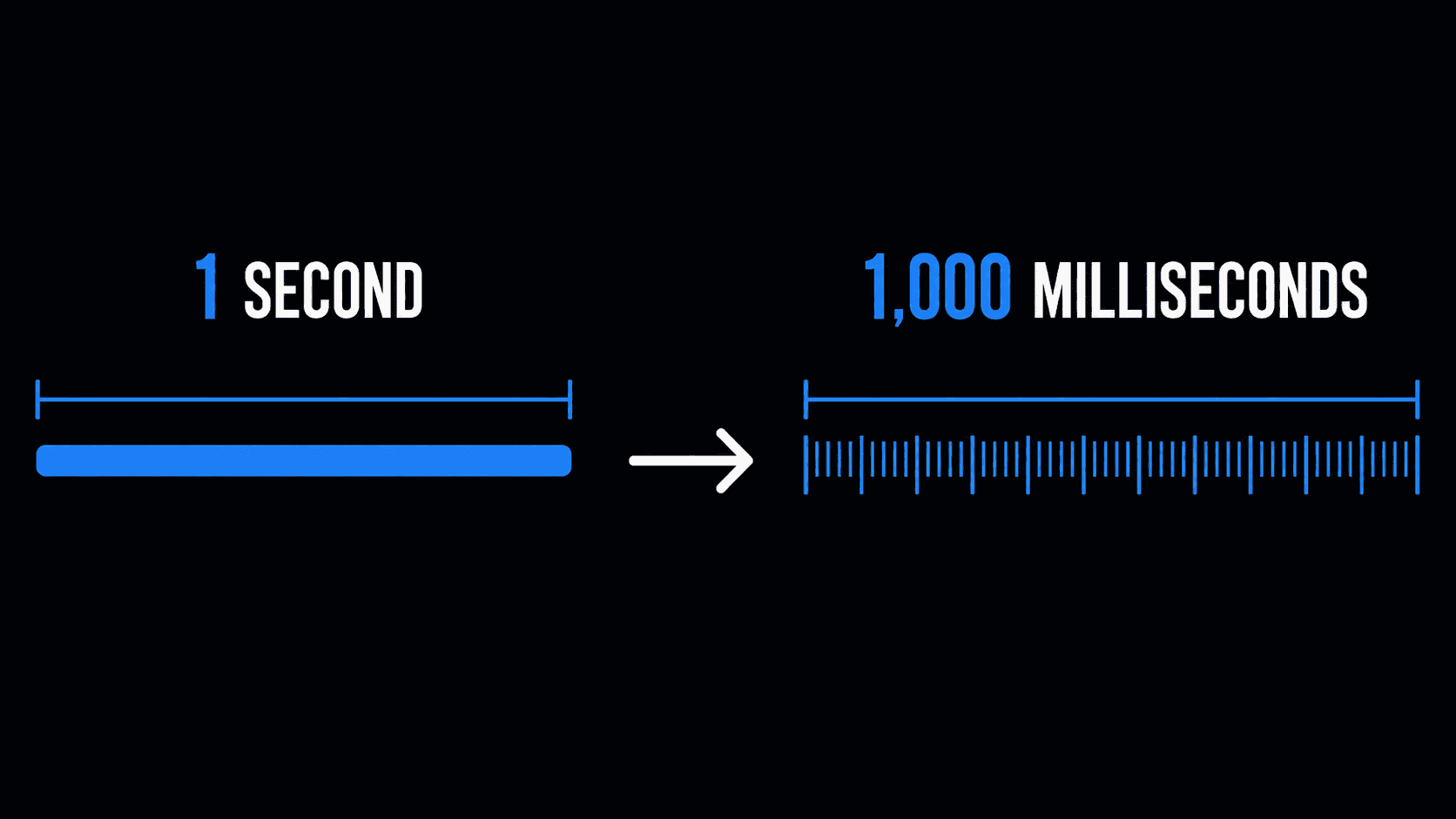
A millisecond (ms) is one-thousandth of a second and the standard unit of time used throughout music production because audio events like a drum hit, a compressor attack, or recording latency happen far too quickly to measure accurately in whole seconds. You'll encounter milliseconds constantly in DAWs and plugins, from monitoring recording latency and making precise editing adjustments to setting compressor and gate timing and keeping audio, MIDI, and video synchronized. Milliseconds aren't the same as BPM, which measures beats per minute, while milliseconds measure raw time, but the two work together. Once you know a song's BPM, you can convert it into millisecond values for delays, reverbs, and other tempo-synced effects using a BPM to Milliseconds Calculator.
Key Takeaways
- A millisecond equals one-thousandth of a second and is used for short time measurements in music production.
- Milliseconds appear in recording latency, editing, plugin timing, and synchronization across audio, MIDI, and video.
- Milliseconds aren't the same as BPM, but both concepts work together in modern audio workflows.
- Precision measured in milliseconds is essential because whole seconds are too imprecise for digital audio.
A Beginner's Guide to Audio Timing
If you've ever opened a digital audio workstation (DAW) or adjusted the settings on an audio plugin, you've probably noticed values displayed in milliseconds (ms).
A compressor may show an attack time of 20 ms. A recording interface might report 6 ms of latency. A delay plugin could allow precise timing adjustments measured in milliseconds instead of seconds.
For beginners, these numbers can seem confusing. Why are such tiny units of time used so often in music production? Why don't recording software and plugins simply use seconds?
The answer is simple: music happens incredibly fast.
Modern recording, editing, and audio processing often involve changes that occur thousands of times within a single second. Measuring those events in full seconds would be far too imprecise. Milliseconds provide the level of accuracy needed to capture performances, edit recordings, and process audio without sacrificing timing.
Understanding what milliseconds represent is one of the first building blocks of digital music production. You don't need to be an audio engineer to benefit from this knowledge. Whether you're recording vocals, producing electronic music, editing podcasts, or simply exploring your first DAW, you'll encounter milliseconds almost everywhere.
This guide explains what milliseconds are, why they're used throughout music production, and where you'll most commonly see them in real-world audio workflows. Once you understand the role they play, it becomes much easier to understand why precise timing matters and when converting musical tempo into milliseconds becomes useful.
What Exactly Is a Millisecond?
A millisecond, abbreviated as ms, is a unit of time.
One second can be divided into one thousand equal parts, and each of those parts is called a millisecond. In other words:
- 1 second = 1,000 milliseconds
- 500 milliseconds = half a second
- 100 milliseconds = one-tenth of a second
While these numbers may seem extremely small, they're perfectly suited to the speed at which digital audio operates.
Think about how quickly a drummer strikes a snare drum or how fast a singer begins a word. Those tiny moments often happen within just a few milliseconds. If audio software measured everything in whole seconds, producers wouldn't have enough precision to control or edit those performances accurately.
That's why professional recording software almost always displays short timing values in milliseconds instead of seconds. The smaller unit makes it possible to describe events that occur almost instantly while still remaining easy to read and adjust.
A useful way to think about milliseconds is to compare them with everyday experiences. A blink of an eye takes roughly a few hundred milliseconds, while many audio processes happen in only a small fraction of that time. Even though we can't consciously perceive every individual millisecond, our ears are remarkably sensitive to small timing differences, especially when multiple sounds are played together.
Because of this, milliseconds have become one of the standard measurement units used throughout modern music production.
Where You'll See Milliseconds in Music Production
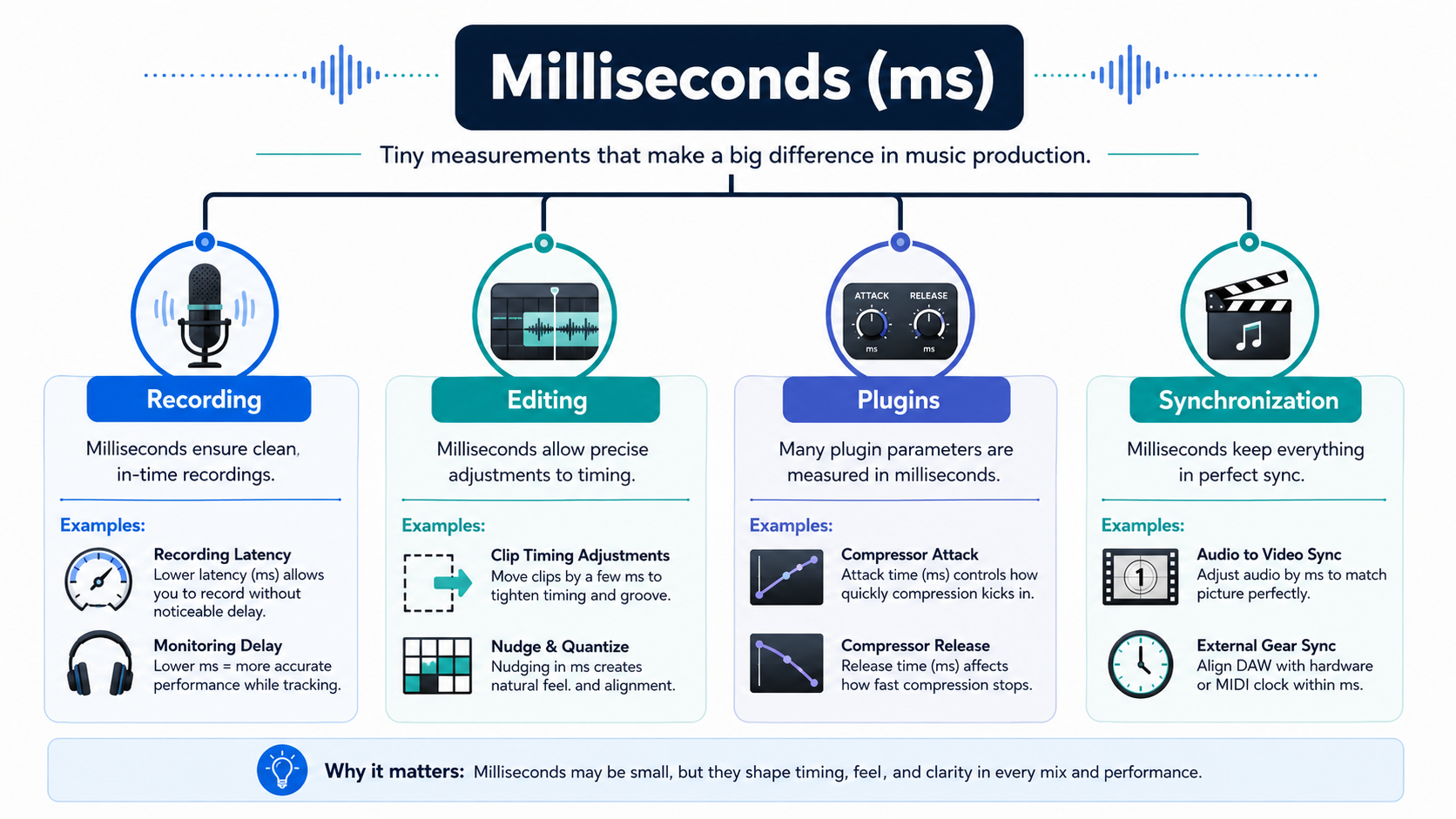
Once you begin working with digital audio, you'll quickly discover that milliseconds aren't confined to one specific tool or feature. They appear throughout the entire production process because many recording and editing tasks require far greater precision than seconds can provide.
Whether you're capturing a live performance, editing dialogue, or adjusting audio effects, milliseconds help describe timing with the level of accuracy modern production demands.
Recording
One of the first places beginners encounter milliseconds is during recording.
Most audio interfaces and DAWs display latency in milliseconds. Latency refers to the small delay between performing a sound, such as singing into a microphone or playing a guitar, and hearing it through your headphones.
A few milliseconds of latency usually go unnoticed, but as the value increases, musicians may begin to feel disconnected from their performance. That's why recording systems aim to keep latency as low as possible while maintaining stable audio performance.
You'll often see these values inside software such as Ableton Live, Logic Pro, Cubase, or Pro Tools, helping users monitor how responsive their recording setup is.
Editing
Milliseconds also play an important role during audio editing.
Professional editors frequently make tiny adjustments to improve the timing of a recording. These edits aren't measured in whole seconds because that would be far too imprecise. Instead, clips are moved by extremely small amounts of time to improve alignment while preserving the natural feel of the performance.
For example, a vocal phrase may begin slightly earlier than intended, or two recordings might need minor alignment after being captured on different tracks. In many cases, these corrections involve only a handful of milliseconds, yet they can noticeably improve the overall result.
The goal isn't to create robotic perfection but to make performances feel tighter without losing their musical character.
Plugins
Audio plugins are another place where milliseconds appear regularly.
Many processors include timing controls that influence how they respond to incoming audio. Rather than using seconds, these controls are displayed in milliseconds because the changes happen almost instantly.
For example, you'll commonly find millisecond values in:
- Compressor — Attack and release timing
- Noise Gate — Opening and closing response
- Limiter — Response speed
- Transient Shaper — Initial attack control
- Dynamics Processors — Timing adjustments for signal processing
Even though these settings may only differ by a few milliseconds, they can noticeably change how an instrument or vocal behaves within a mix.
Synchronization
Modern productions often combine multiple recordings, MIDI instruments, video, and automation into a single project. Keeping everything synchronized requires extremely accurate timing.
Milliseconds help software ensure that separate elements remain aligned throughout playback and editing. Whether it's synchronizing recorded tracks, matching audio with video, or maintaining consistent playback across a session, these tiny units of delay/timing help everything stay in sync.
While most producers rarely think about the underlying calculations, milliseconds are working continuously behind the scenes to keep complex projects running accurately.
Milliseconds vs Seconds: Why Small Numbers Matter
At first glance, seconds seem easier to understand. Everyone knows what one second feels like, but values such as 12 ms or 35 ms can appear almost meaningless until you begin working with audio. The difference becomes clearer when you compare the two units.
A second is designed for measuring longer periods of time, such as the length of a song or the duration of a recording session. Milliseconds, on the other hand, measure events that happen so quickly they would be awkward to describe using fractions of a second.
Consider the comparison below:
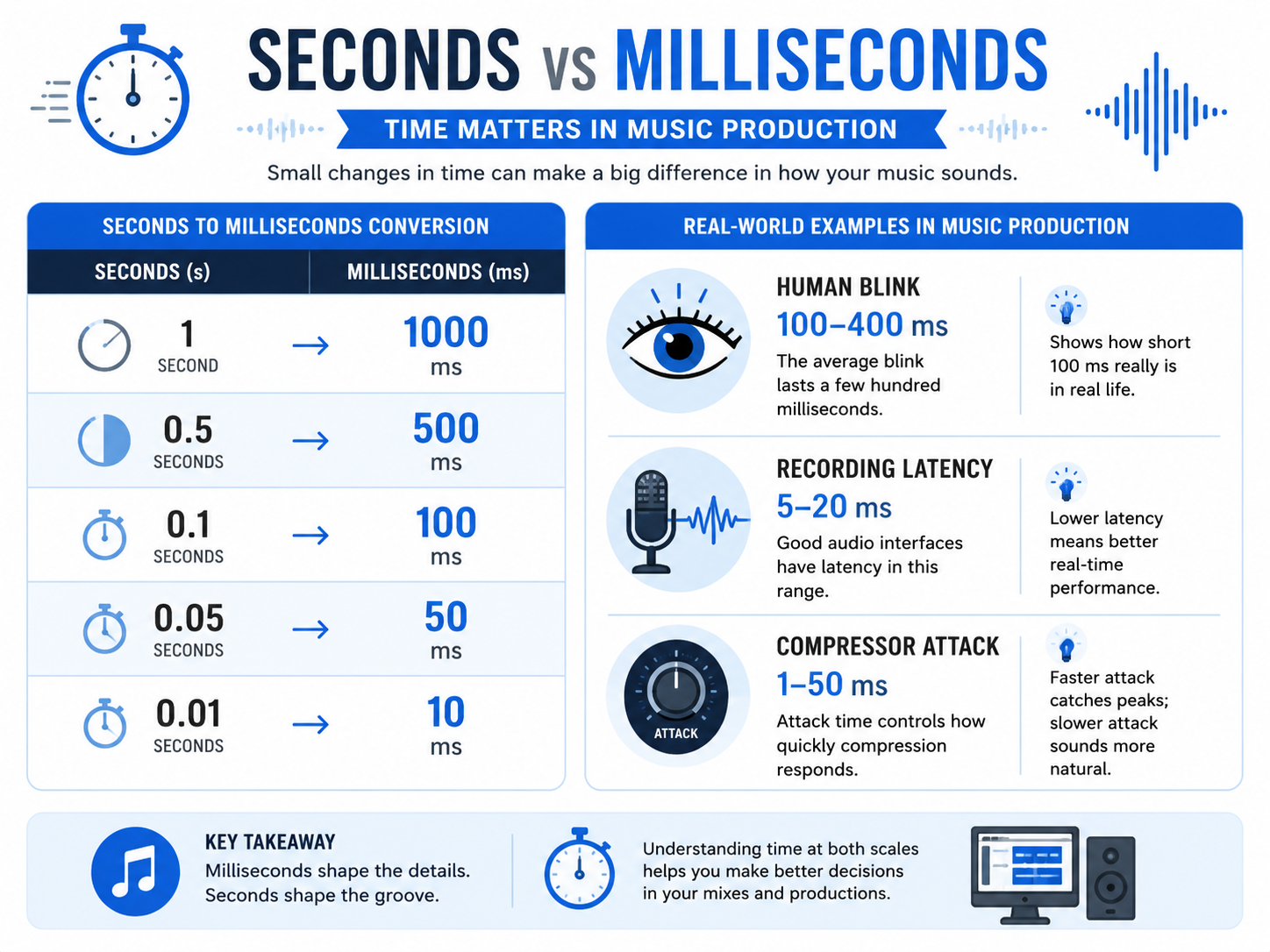
- 1 second = 1,000 ms
- 0.5 seconds = 500 ms
- 0.1 seconds = 100 ms
- 0.05 seconds = 50 ms
- 0.01 seconds = 10 ms
Writing 0.015 seconds is technically correct, but 15 ms is much easier to read, compare, and adjust inside production software. That's one reason nearly every DAW and plugin adopts milliseconds whenever precise timing is required.
As you continue learning music production, you'll become comfortable thinking in milliseconds whenever you're working with audio events that occur almost instantly. For longer durations, such as song length or recording time, seconds remain the most practical measurement.
Common Beginner Misunderstandings About Milliseconds
Because milliseconds appear in so many parts of music production, it's easy for beginners to assume they all mean the same thing. In reality, the value itself stays the same, but its purpose changes depending on where it's being used.
Understanding these differences early can prevent a great deal of confusion when learning new software or following production tutorials.
"Milliseconds Are the Same as BPM"
This is one of the most common misconceptions.
BPM and milliseconds are closely related, but they are not the same thing.
BPM describes musical tempo, how many beats occur in one minute. Milliseconds describe time itself.
Think of BPM as a musical measurement and milliseconds as a universal unit of time. They often work together, but they represent different concepts.
Once you already know a song's tempo, milliseconds can be used to express precise timing values within that tempo. However, understanding milliseconds does not require you to understand BPM calculations.
"Milliseconds Are Only for Audio Engineers"
Many beginners assume milliseconds only matter in professional recording studios. In reality, almost anyone working with digital audio will encounter them.
Home studio owners see millisecond values when configuring recording interfaces. Podcast editors encounter them while adjusting audio timing. Video editors use them to keep dialogue synchronized with visuals. Even musicians using beginner-friendly DAWs regularly see milliseconds displayed in plugin settings and recording preferences. You don't need to become an audio engineer to benefit from understanding what these numbers represent.
"Smaller Numbers Always Mean Better Audio"
Another misunderstanding is that the lowest possible millisecond value is always the correct choice. That's rarely true.
Different production tasks require different timing values depending on what you're trying to achieve. Some settings are designed to respond almost instantly, while others intentionally introduce slightly longer timing to create smoother or more natural results.
Rather than chasing the smallest number, experienced producers focus on choosing values that suit the specific situation.
"Milliseconds Only Matter During Mixing"
Many people first notice milliseconds while experimenting with plugins, so they assume timing only becomes important after recording has finished. In reality, milliseconds influence almost every stage of production.
Recording systems measure latency in milliseconds. Editors make precise timing adjustments using milliseconds. Plugins rely on milliseconds to control their behaviour. Synchronization between audio, MIDI, and video also depends on accurate time measurements.
From the moment a recording session begins until the final export, milliseconds quietly support nearly every part of the production workflow.
Continue Learning
Now that you understand how milliseconds are used throughout digital audio, these guides will help you explore the next steps in music production and audio timing.
- How to Find the BPM of Any Song
- How to Practice with a Metronome
- How DJs Calculate BPM Before Mixing Songs
- Master Tempo vs Key Lock: Serato & Rekordbox Guide
Milliseconds may seem like tiny numbers, but they're one of the foundations of modern digital audio. From recording performances and editing tracks to processing audio and keeping projects synchronized, milliseconds allow software to measure time with the precision that music production demands.
The important thing to remember is that milliseconds don't replace musical concepts like tempo; they complement them. They provide a universal way of measuring extremely short periods of time, allowing producers and engineers to work accurately across countless recording and editing tasks.
Once you understand milliseconds as a measurement unit, you'll start recognizing them throughout recording software, plugins, editing tools, and modern production workflows. That foundational knowledge makes it much easier to work confidently inside any DAW and prepares you for more advanced audio timing concepts as your production skills grow.
Convert BPM into Precise Millisecond Values
Now that you understand why milliseconds matter in music production, use our BPM to Milliseconds Calculator to instantly convert any song tempo into accurate timing values for your next project.
This article has been researched, written, and reviewed according to our Editorial Policy.
Frequently Asked Questions
Common questions about finding the BPM of a song.